Introduction
This installation guide is for the Geotab Starter Inhibit Device (SID) solution which uses the SPR-RELAYKIT & IOX-OUTPUTM for ICE (Internal Combustion Engine) vehicles.
NOTE: HEV (Hybrid Electric Vehicle), PHEV (Plug-in Hybrid Electric Vehicle), MHEV (Mild Hybrid Electric Vehicle), BEV (Battery Electric Vehicle), motorcycles, are not supported by the SID solution.
Recommended Tools & Consumables
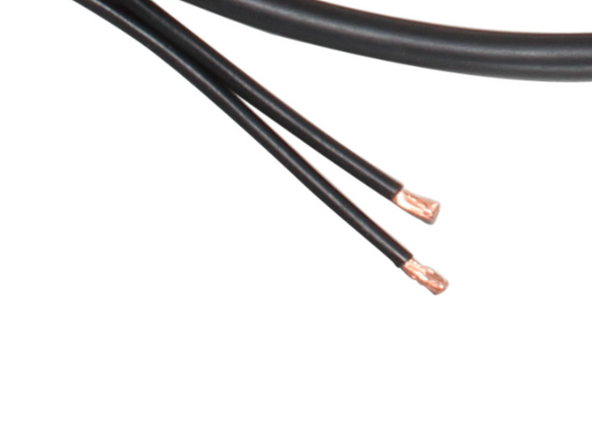
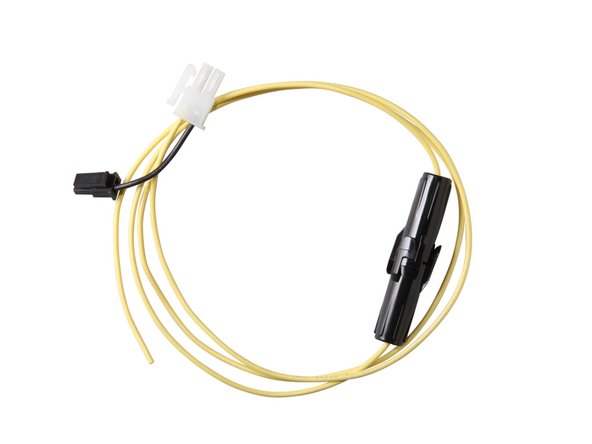
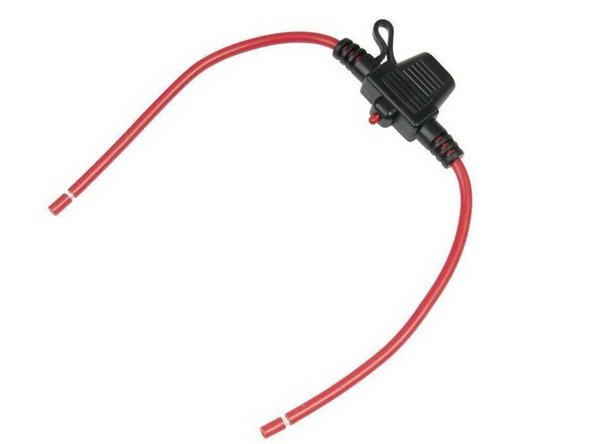
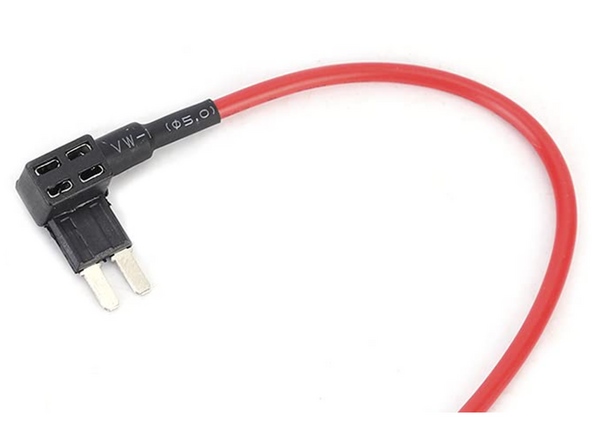
Hardware & Accessories
-
-
WARNING! Some installations are not straightforward and must be completed by an Authorized Installer to ensure a secure installation.
-
An unsecure device can result in poor electric and/or data connections, which can lead to short circuits and fires or cause malfunctions of vehicle controls that can result in serious personal injury or significant damage to the vehicle. Some examples requiring professional installation from an Authorized Installer are:
-
The OBD port location is such that the device protrudes and interferes with entering or exiting the vehicle, or located where it could be inadvertently kicked or bumped during vehicle operation.
-
The device isn't fully secured and so may come loose with vibrations or accidental contact.
-
An electrical harness or additional wiring is required.
-
Vehicle mounting modifications are required to secure the device, i.e. removing of panels; deformed/damaged OBD connector; or physical damage to the electrical wiring.
-
The device does not power on and beep six times when first installed.
-
The installer questions their ability to complete a secure installation according to these instructions.
-
-
-
WARNING! Do not attempt to install, reconfigure, or remove any product from a vehicle while the vehicle is in motion or otherwise in operation. All installation, configuration, or removal must be done only in stationary vehicles which are securely parked.
-
Attempting to service devices while the vehicle is in motion could result in malfunctions or collisions, leading to death or serious personal injury.
-
-
-
WARNING! Installation of this product into vehicle systems requires professional installation by a qualified technician who is thoroughly familiar with any circuits involved.
-
Installing the Geotab SID solution requires real-time access to the host vehicle wire interface diagrams for starter control (i.e. ALLDATA™, WireSheet™, Mitchell1 ProDemand™ / eAutoRepair™ or equivalent). Typically, the diagrams are provided to car security solution installers.
-
As the installer it is important to understand when the Starter Inhibit wire on the vehicle’s ignition switch harness is multiplexed and, therefore, must be inhibited by other means, for example within the Engine Bay, interrupting the control wire between the starter relay and the starter solenoid.
-
-
-
The Geotab Starter Inhibit Device (SID) solution only supports ICE (Internal Combustion Engine) vehicles.
-
WARNING: HEV (Hybrid Electric Vehicle), PHEV (Plug-in Hybrid Electric Vehicle), MHEV (Mild Hybrid Electric Vehicle), BEV (Battery Electric Vehicle), motorcycles, are not supported by the SID solution. DO NOT install this solution in any of these vehicle types.
-
-
-
WARNING! The SPR-RELAYKIT must not be installed in such a manner where it has the potential to disable propulsion and/or prevent vehicle control while the vehicle is in motion.
-
Never install a circuit interrupt on any circuit that may interfere with the safe operation of a vehicle or cause the engine to stop while the vehicle is in motion — such as fuel lines, brake switch, or multiplexed circuits.
-
-
-
Some vehicles provide a dedicated Starter Inhibit interface. The Starter Inhibit interface can be within a designated programmable special module (PSM), a dedicated de-rate or shift lock PIN and, in some vehicles, can be provided in another location.
-
Installers must be intimately familiar with the specific vehicle prior to planning the Starter Inhibit installation.
-
-
-
Some vehicles stop the engine every time the vehicle comes to a stop, and automatically restarts the engine upon pressing the accelerator pedal.
-
Installers in these vehicles need to ensure activation of the Starter Inhibit feature does not disable the vehicle in a precarious location (i.e. a busy intersection) and does not leave the vehicle unable to move to a safe location or other direct or indirect effects resulting from the installation of the Starter Inhibit feature.
-
-
-
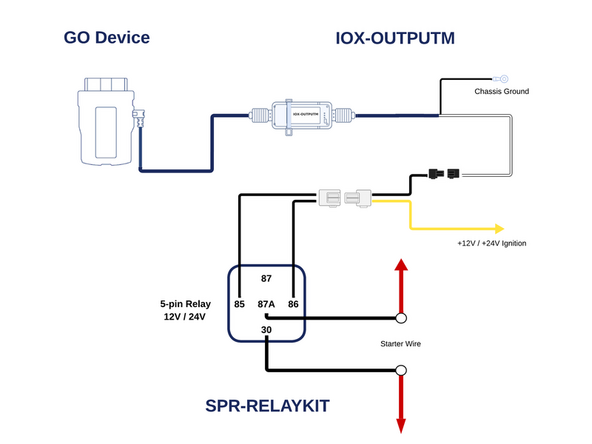
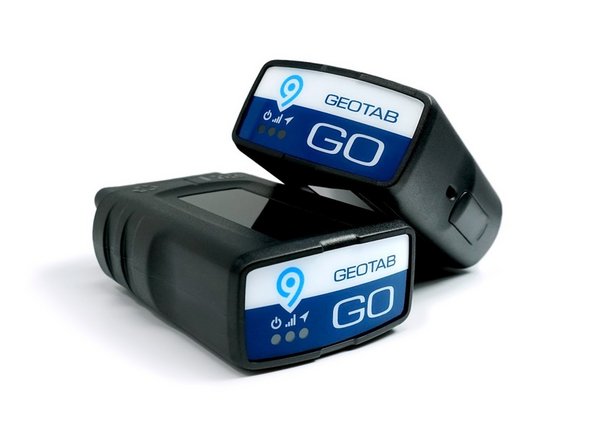
The SID solution consists of a GO device, IOX-OUTPUTM, and SPR-RELAYKIT
-
-
-
SPR-RELAYKIT incorporates controls for enabling a relay directly from the GO Device. The relay can be enabled by using the IOX-OUTPUTM device.
-
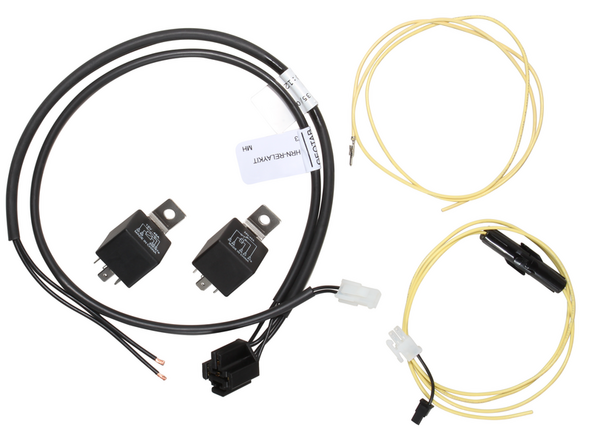
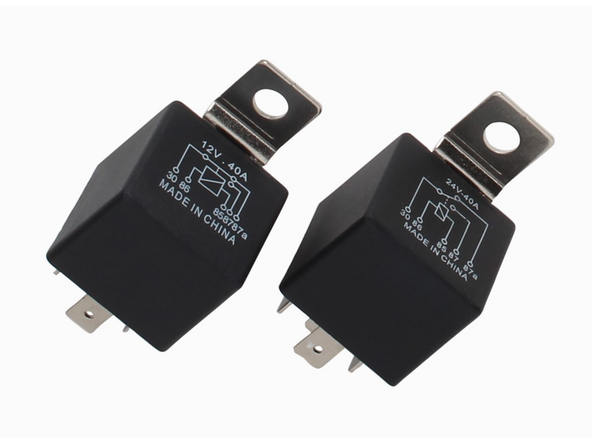
SPR-RELAYKIT consists of four components: 12V Relay, 24V Relay, HRN-RELAYKIT harness, and SPR-IOXREL harness.
-
The relays included in SPR-RELAYKIT are SPDT Type B relays. By default, the relay harness is configured for Normally Closed (NC).
-
-
-
Using a digital multimeter, locate the START (cranking) wire — the wire that is at 12V / 24V when the key is in the start position.
-
It is highly recommended to refer to vehicle wire interface diagrams for starter control (i.e. ALLDATA™, WireSheet™, Mitchell1 ProDemand™ / eAutoRepair™ or equivalent) to locate the starter wire in the vehicle.
-
Cut the starter wire.
-
Some vehicles may require you to route wires into the engine bay for starter wire connections. Ensure to use protective wire loom for all wiring in the engine bay. Installing wire loom is very important, as it protects your live wires from chafing and high temperatures that can cause severe damage to the vehicle.
-
Always use an existing factory wire grommet whenever possible. If a factory wire grommet is not available you may need to drill a hole in the firewall to install a new grommet.
-
IMPORTANT: Use extreme caution when drilling holes in the vehicle firewall. Before drilling, check behind the location to ensure the area is clear of any obstructions or electrical wires/components. Drilling into electrical wiring poses a fire risk.
-
After performing the pass-through of wiring and protective loom, apply RTV/Silicone to all mating areas on both sides to ensure the pass-through is airtight and that no carbon monoxide can enter into the cabin of the vehicle.
-
-
-
Connect the black wires of the HRN-RELAYKIT harness to each end of the starter wire.
-
For all connections, strip 1/2" (15 mm) of insulation, solder, and insulate the connection using heat shrink or electrical tape.
-
Ensure all connections are secure.
-
It's important to avoid any pinch points and sharp corners when running wires.
-
Secure wiring with cable ties as needed.
-
Trim any excess cable tie.
-
-
-
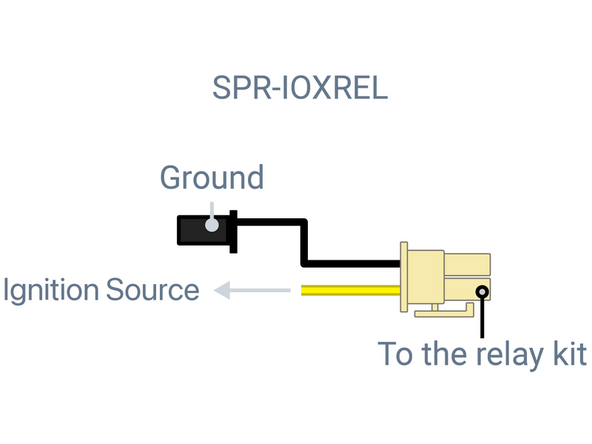
Connect the Yellow wire of the SPR-IOXREL harness to a true ignition source +12V / +24V. This ignition source is used to energize the relay.
-
This wire should have +12V / +24V when the Ignition switch is in the ON/RUN and Start positions and should have 0V when the Ignition switch is in ACC or OFF positions.
-
IMPORTANT: Connect the yellow wire to the vehicle's true ignition source, not to the starter wire or a constant power source.
-
Ensure to use an inline fuse holder if splicing into a factory wire or a fuse adapter if interfacing with the vehicle's fuse panel. The inline fuse holder should be located within 6 inches of the ignition connection point.
-
NOTE: Do not connect the yellow wire to a constant power source nor to the vehicle's battery. This can result in the relay constantly draining the vehicle's battery.
-
Ensure the connection is secure.
-
-
-
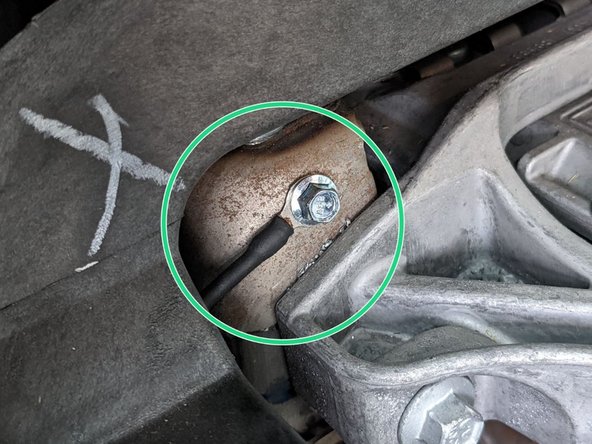
Connect the black wire from the IOX-OUTPUTM to a chassis ground.
-
A self-tapping screw can be used to secure the ring terminal to a part of the metal dash frame.
-
IMPORTANT: Ensure there is no wiring or objects behind the location of the ring terminal prior to drilling.
-
-
-
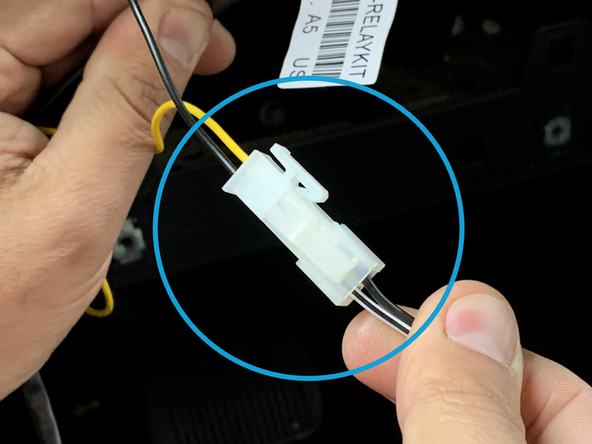
Connect the black Molex connector of the SPR-IOXREL harness to the black Molex connector on the IOX-OUTPUTM.
-
Ensure the connection is secure and locked into place.
-
-
-
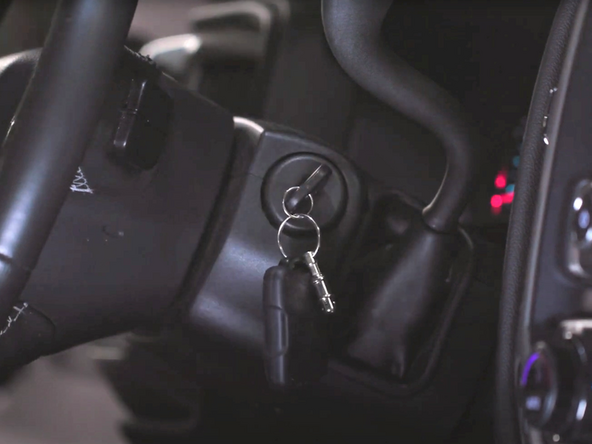
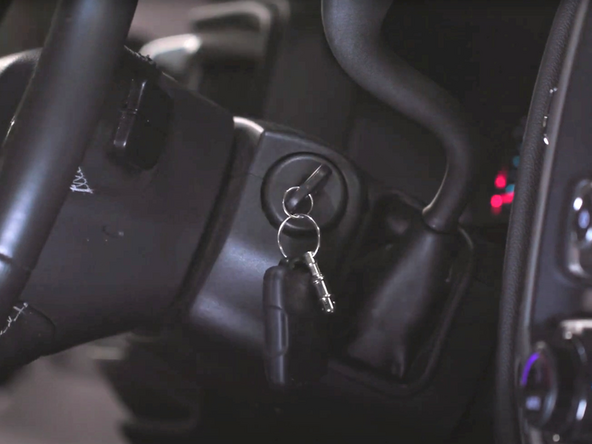
Turn the vehicle's ignition to the ON position.
-
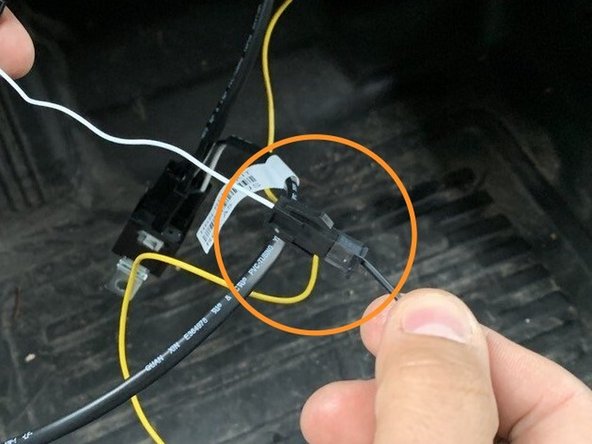
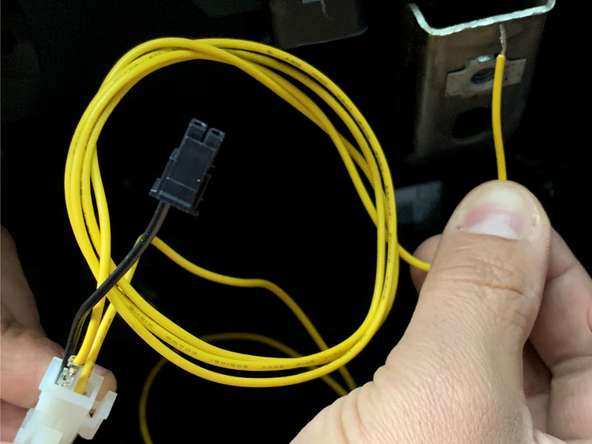
Actuate the relay by grounding the black wire on the Molex connector of the SPR-IOXREL harness.
-
This can be done by carefully inserting a piece of wire into the black Molex connector then holding it to ground.
-
The picture below shows using the spare yellow wire included in the SPR-RELAYKIT.
-
Try to start the vehicle - if everything is working correctly, the engine should not be able to start.
-
NOTE: If the vehicle still starts, ensure that you have installed the correct relay (12V / 24V) and that the yellow wire is connected to a true ignition source.
-
The SPR-RELAYKIT contains both a 12V and a 24V relay. Please ensure the correct relay for your vehicle is selected based on the specific voltage indicated on the relays. Most vehicles in North America and Europe use a 12V relay, although some trucks (over 3500kg) in Europe require a 24V relay. There may be exceptions in both regions.
-
Remove ground and start the vehicle - the vehicle should start.
-
-
-
While the vehicle's' engine is running, actuate the relay again (ground the black wire on the Molex connector of the SPR-IOXREL harness) and ensure the engine stays running.
-
IMPORTANT: If the engine stops running when performing this test, then you must find a different wire to inhibit the starter.
-
Keep the relay actuated and turn the engine off, and then try to start again - the vehicle should not start.
-
Ensure to take 2 pictures, one of the VIN number and one of the starter wires cut with relay installed.
-
The IOX-OUTPUTM can be controlled through the MyGeotab portal. You may contact the end client to trigger the IOX-OUTPUTM from the MyGeotab portal to test the functionality of the SID solution.
-
These steps can also be used for troubleshooting if the solution is not functioning properly.
-
-
-
Connect IOX-OUTPUTM to the GO device.
-
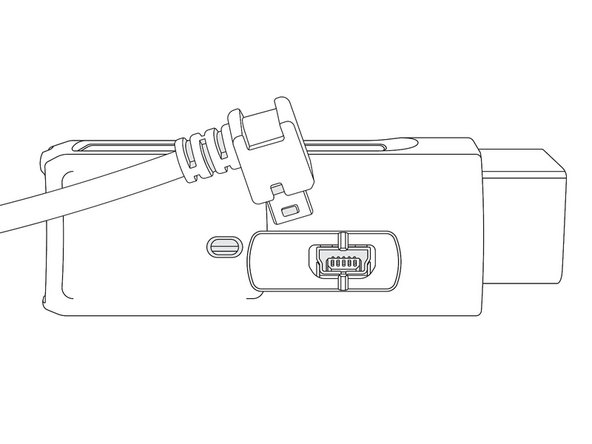
Remove the expansion port cover and plug in the 90° USB connector from the IOX-OUTPUTM into the GO device.
-
Secure the connection with a cable tie.
-
Ensure the cable tie is firmly situated in the grooves, both on the plug and the GO device, to prevent tampering.
-
DO NOT OVER-TIGHTEN! The connector on the device can be damaged if over-tightened.
-
Trim any excess cable tie.
-
-
-
GO device installations for the SID solution involve a GO device and a T-harness. Refer to the HRN-GS16K2-LD Standard LD 16-Pin T-Harness Kit guide for installation instructions.
-
-
-
All in-vehicle devices and related cabling must be securely fastened and kept clear of all vehicle controls, airbags, and gas, brake and clutch pedals.
-
This requires the use of a cable tie when securing the device or any extension harness to the OBD connector, securing both sides of the harness. If you do not use a cable tie, vibration in the vehicle can lead to a loose connection which could cause the vehicle’s engine computer to fail, causing potential loss of vehicle control and serious injury.
-
Inspect devices and cabling regularly to ensure all devices and cabling continue to be securely attached.
-
If at any point after an in-vehicle device is installed a warning light illuminates on the vehicle dash or the vehicle stalls or has a marked drop in performance, shut off the engine, remove the device, and contact your reseller. Continuing to operate a vehicle with these symptoms can cause loss of vehicle control, and serious injury.
-
-
-
Navigate to one of the following:
-
-
-
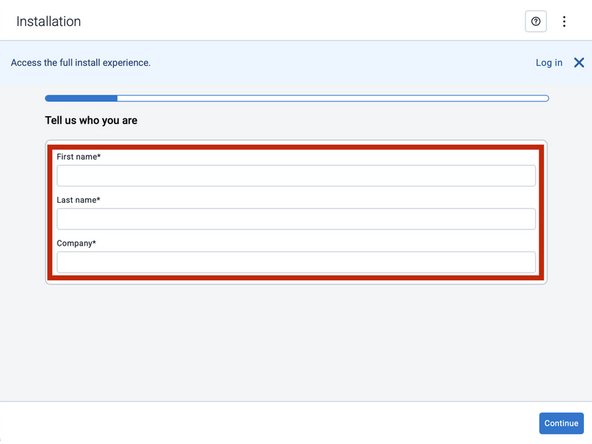
Note that the following steps are for the public version of MyInstall.
-
If you have an installer MyAdmin account, use this link
-
This link is also accessible via the MyInstall Public page.
-
-
-
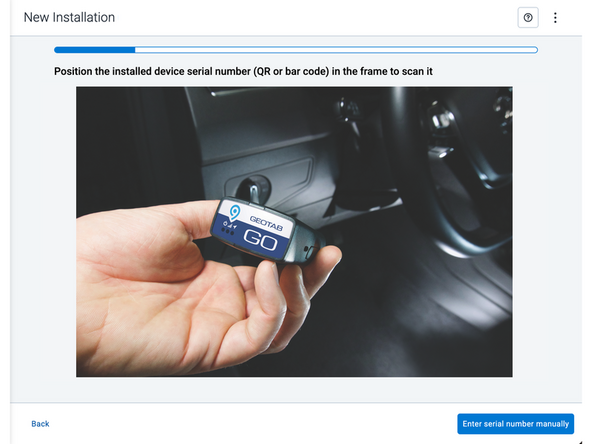
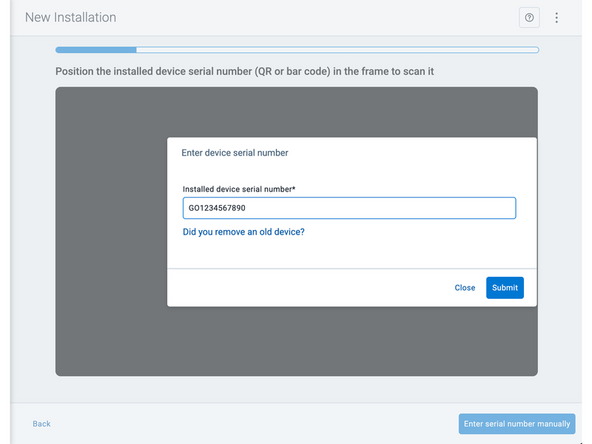
Two options are available to enter the device serial number:
-
Scan the device serial number (QR or barcode) using your mobile device.
-
Press Enter serial number manually, enter the serial number, and then press Submit.
-
If you are also removing an old device, press Did you remove an old device? and then enter the removed device serial number.
-
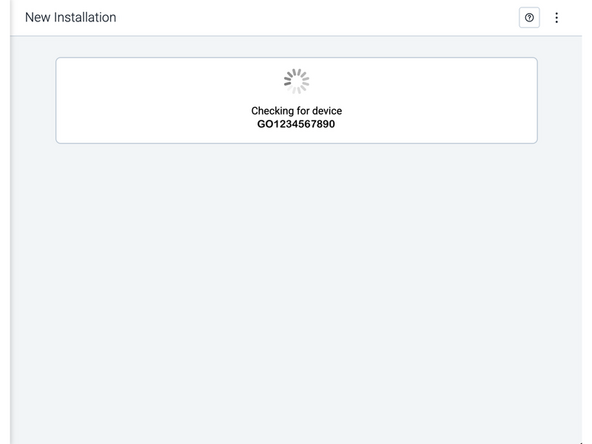
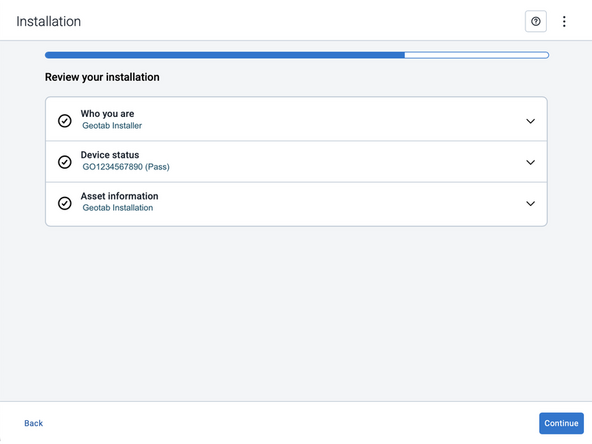
MyInstall takes a moment to check the device status.
-
-
-
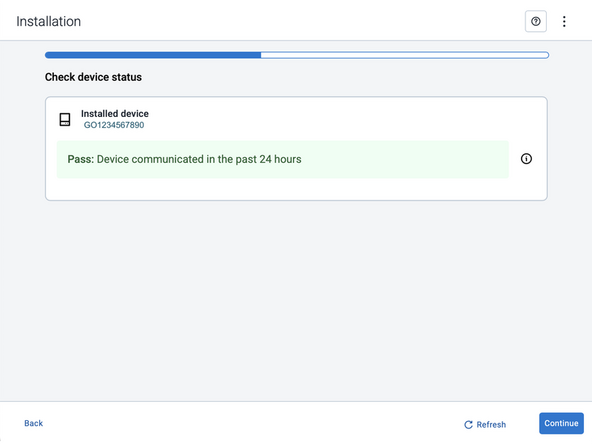
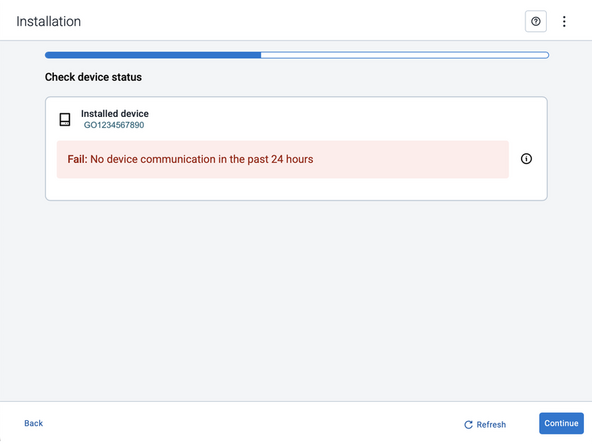
Installed device
-
Pass – The device has successfully communicated with the network in the last 24 hours.
-
Fail – The device has not communicated with the network in the last 24 hours.
-
If the device status shows as FAILED, verify the LED status and turn the ignition / engine off and on again.
-
Press Refresh to check the status again.
-
Refer to the MyInstall User Guide for detailed instructions.
-
-
-
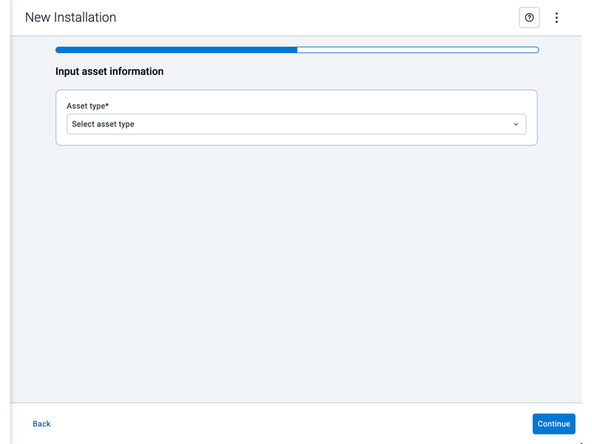
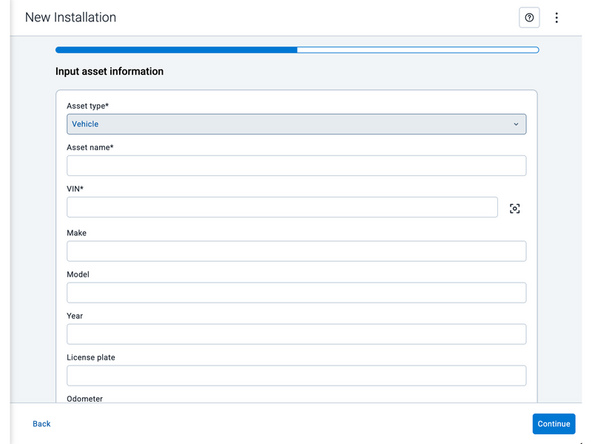
Asset name — Enter the vehicle or asset name. This field is mandatory.
-
VIN — Scan or enter the vehicle identification number (VIN). For scanning, select the scan icon [O] beside the field. This field is mandatory.
-
Make, Model, and Year — This information will be auto populated when you scan or enter a valid VIN. If it is not autopopulated, enter the information manually. NOTE: For some vehicle makes and models, the autopopulate option might not be possible.
-
License plate — Enter the vehicle license plate.
-
Odometer — Enter the vehicle odometer, and select the measurement unit (km or miles).
-
Engine hours — Enter the vehicle engine hours.
-
Camera ID (GO device only) — Scan or enter the installed camera identification (ID) number. NOTE: Depending on the camera type, the camera ID number can also be the camera’s International Mobile Equipment Identity (IMEI), or serial number. Select the information icon ⓘ to learn more about your camera’s ID number.
-
Work order reference — If applicable, enter a work reference number that is associated with the installation.
-
-
-
For the latest version of the Limitations of Use
-
Your in-vehicle devices must be kept clear of debris, water and other environmental contaminants. Failure to do so may result in units malfunctioning or short-circuiting, which can lead to a fire hazard and cause loss or serious injury.
-
This product does not contain any user-serviceable parts. Configuration, servicing, and repairs must only be made by an authorized reseller or installer. Unauthorized servicing of these products will void your product warranty.
-
The simplified EU declaration of conformity referred to in Article 10(9) shall be provided as follows:
-
Hereby, Geotab (Address: 2440 Winston Park Drive, Oakville, Ontario L6H 7V2, Canada, Phone number: 1 (877) 436-8221) declares that the radio equipment type ‘telematics device’ is in compliance with Directive 2014/53/EU. The full text of the EU declaration of conformity is available here.
-
WARNING: Cancer and Reproductive Harm
-


Team
