v2.4

Minor Versionm

by Jason Fox

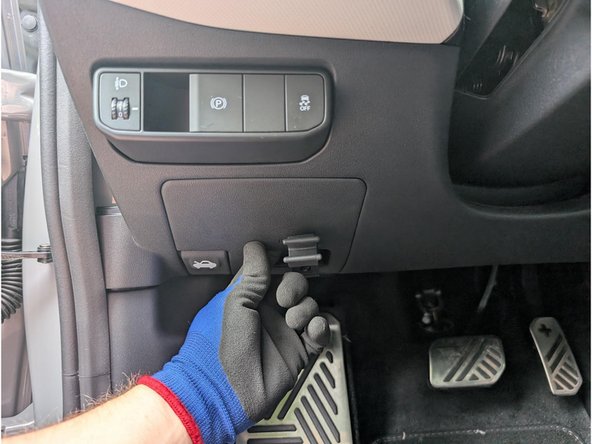
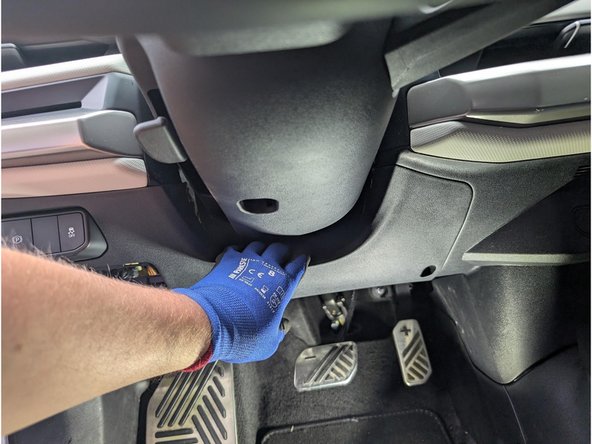
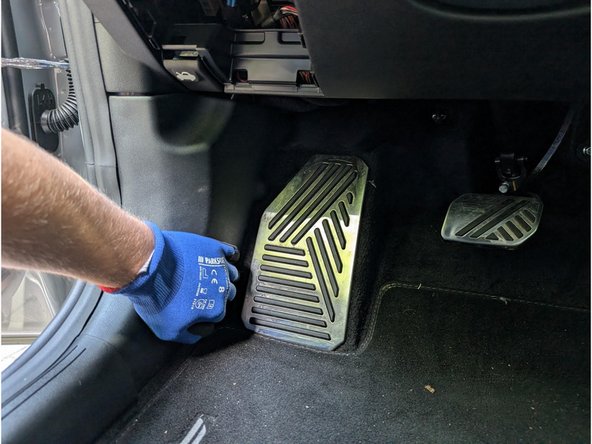
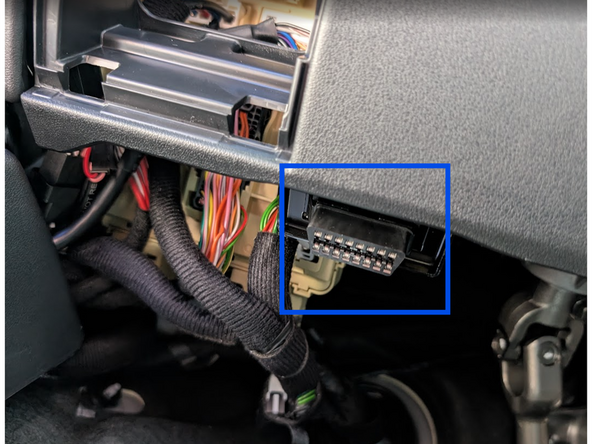
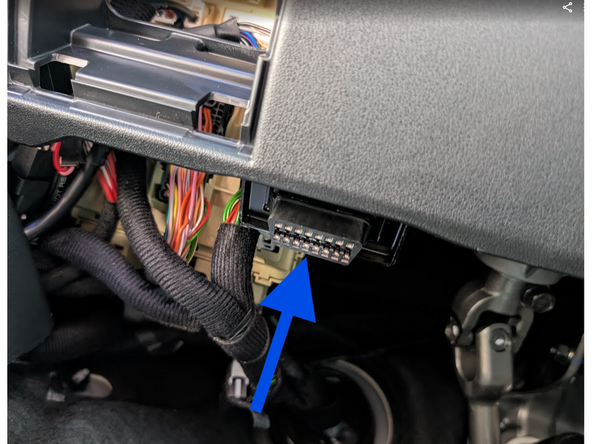
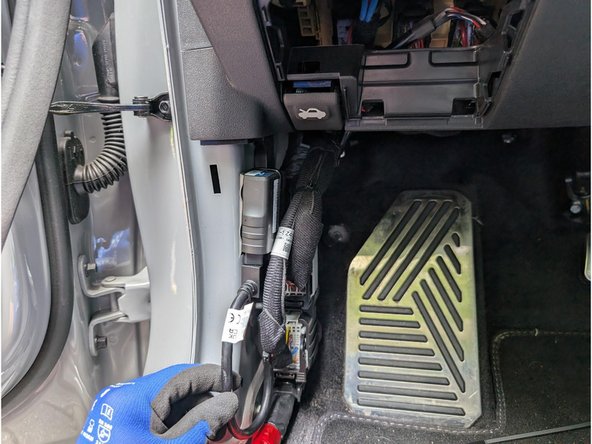
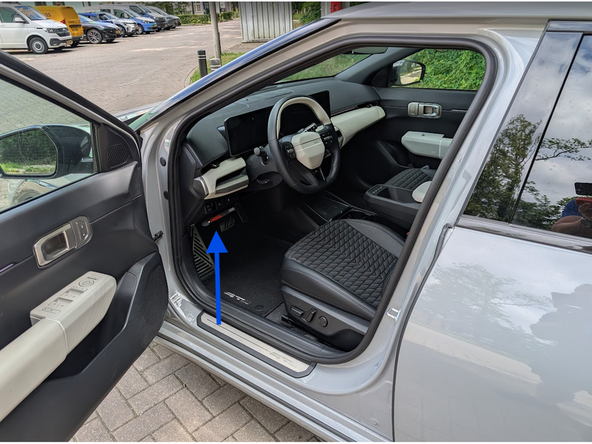
  1. Locate the OBD-Port below the steering wheel in the driver’s footwell. Unclip and remove the panel from the side of the dashboard.
    • Locate the OBD-Port below the steering wheel in the driver’s footwell.

    • Unclip and remove the panel from the side of the dashboard.

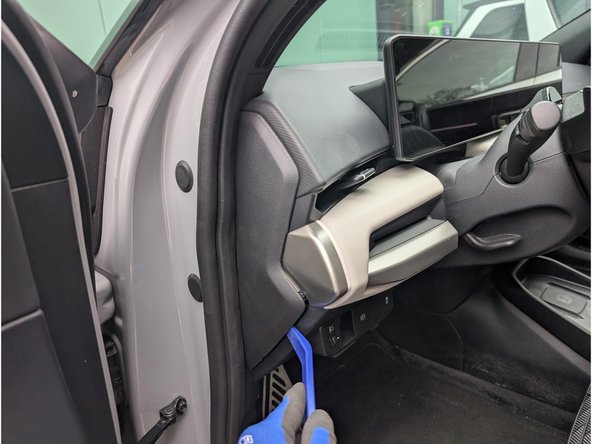
  2. Unclip and remove the panel with a panel removal tool.
    • Unclip and remove the panel with a panel removal tool.

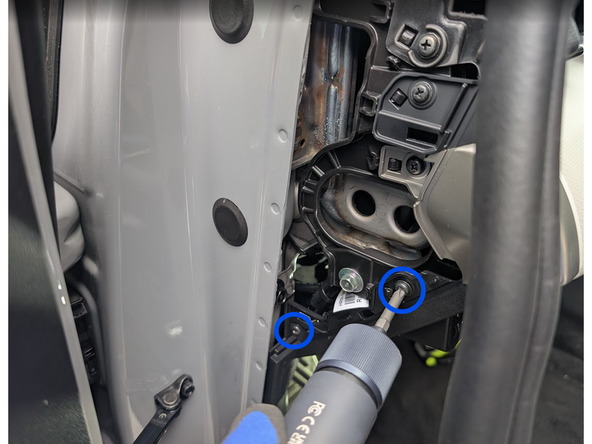
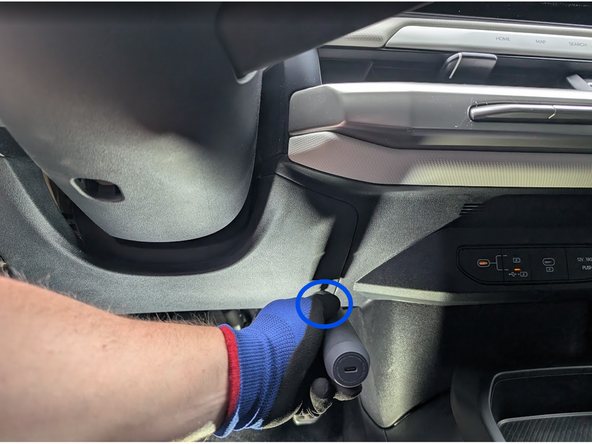
  3. Loosen and extract the screws indicated in the photos with a Phillips Screwdriver . Carefully unclip the interior panel. Carefully unclip the interior panel.
    • Loosen and extract the screws indicated in the photos with a Phillips Screwdriver .

    • Carefully unclip the interior panel.

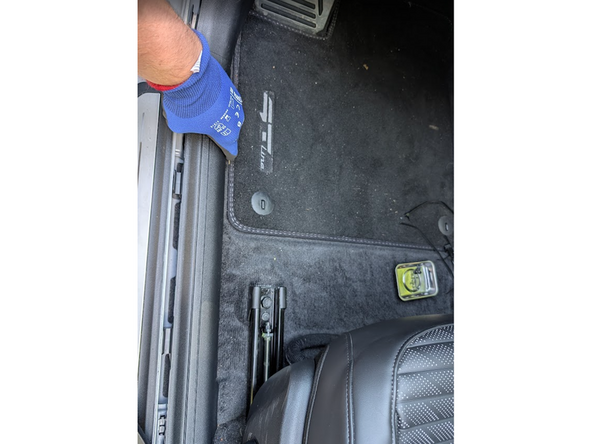
  4. Pull the side trim panel outward to detach it Unhook the plastic trim panel along the bottom door opening.
    • Pull the side trim panel outward to detach it

    • Unhook the plastic trim panel along the bottom door opening.

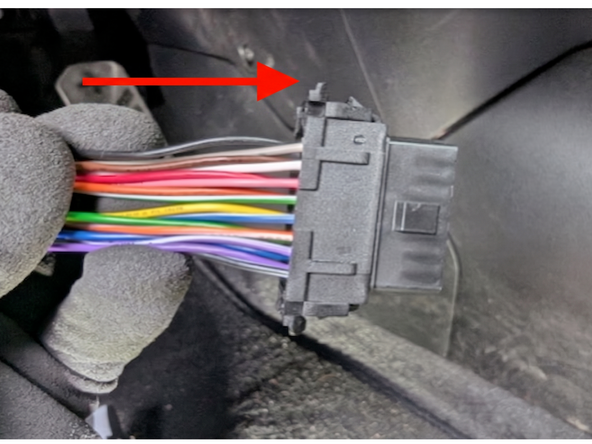
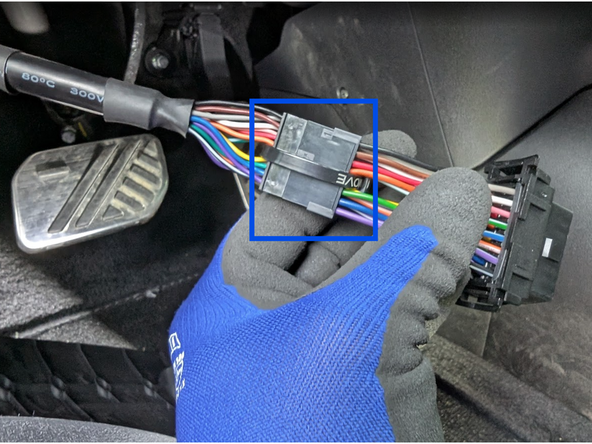
  5. Detach the OBD II port from its original mounting position. Select adaptor 3 from the harness kit and clip it into place as shown. Clip the short section into place on the main harness, and secure with cable tie.
    • Detach the OBD II port from its original mounting position.

    • Select adaptor 3 from the harness kit and clip it into place as shown.

    • Clip the short section into place on the main harness, and secure with cable tie.

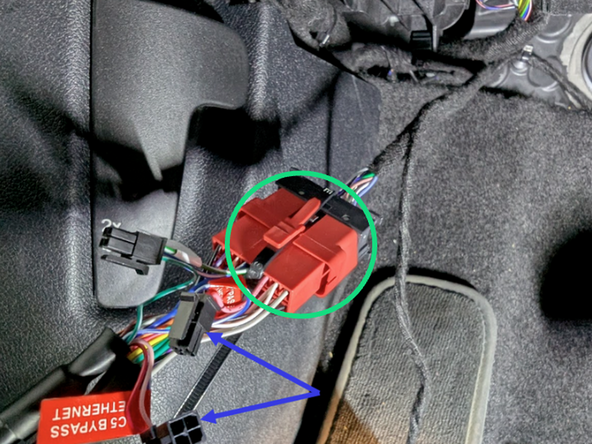
  6. Clip the short section of the harness into place in the vehicle. DISCONNECT the ETHERNET BYPASS C3 and C5 connectors on the Geotab harness are unplugged, as shown
    • Clip the short section of the harness into place in the vehicle.

    • DISCONNECT the ETHERNET BYPASS C3 and C5 connectors on the Geotab harness are unplugged, as shown

    • Plug the vehicle OBD-port into the harness, and secure them with a cable tie.

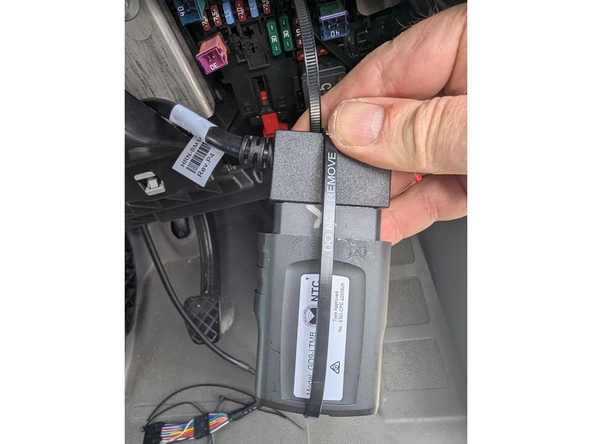
  7. Plug the Geotab device into the harness, and secure with a cable tie as shown
    • Plug the Geotab device into the harness, and secure with a cable tie as shown

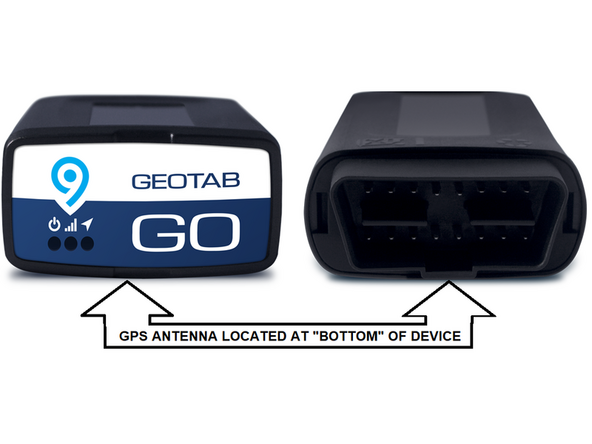
  8. The GPS-antenna is located at the underside of the Geotab device.
    • The GPS-antenna is located at the underside of the Geotab device.

    • ! IMPORTANT: Ensure when securing the device into the vehicle, that this side is facing away from any metal surfaces.

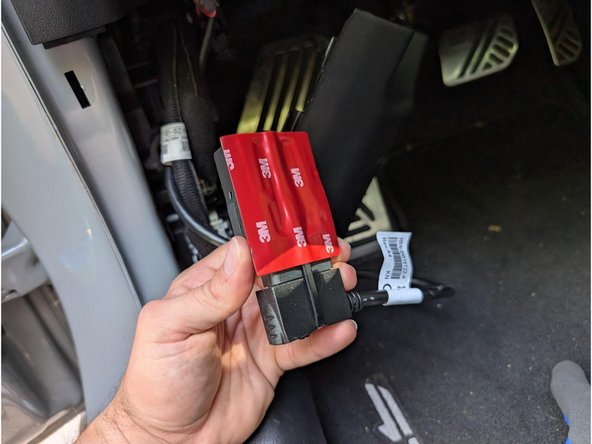
  9. Apply a double-sided tape to the rear of the GO device, making sure its the side opposite from the serial number. Adhere the unit vertically against the flat metal surface.
    • Apply a double-sided tape to the rear of the GO device, making sure its the side opposite from the serial number.

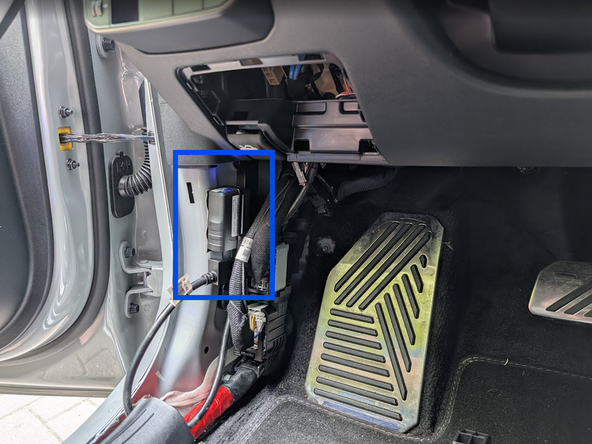
    • Adhere the unit vertically against the flat metal surface.

  10. Use cable ties to secure loose wires to leave the space clean and close everything up.
    • Use cable ties to secure loose wires to leave the space clean and close everything up.

    • Replace all panels, screws, and clips in the reverse order they were removed.

    • Once all three LEDs turn solid and you hear 10 quick beeps, secure the device using the provided cable tie. Ensure there is always a 20cm separation between the driver and the device. This applies to all users of the vehicle.

    • ✱ NOTE : The device is considered installed when the Green and Blue LEDs turn solid.

Finish Line

Jason Fox

Member since: 9/14/23

117 Guides authored

Team

Field Service Specialists Member of Field Service Specialists

9 Members

284 Guides authored